What are Mobile Legends Diamonds?
In Mobile Legends, Diamonds are the in-game currency used to purchase various items and features within the game.
Diamonds can be obtained by making in-app purchases with real money, participating in various in-game events, or completing specific missions.
They may also be rewarded through events, tournaments, and giveaways hosted by the game developer. With Diamonds, players can purchase a variety of in-game items such as heroes, skins, emotes, and other cosmetic items. Diamonds can also be used for certain in-game features, such as Hero Trial Cards or converting them into Battle Points (BP).
How to Top Up Mobile Legends Diamonds on thePAY
- Open the thePAY app, go to “Game Top-Up”, and select your country.
- Click Mobile Legends and choose the amount of Diamonds you want.
- Enter your ML User ID and Zone ID.
- Complete the payment, and the Diamonds will be credited to your MLBB account.
How to Find Your ML User ID and Zone ID
- Log in to the game using your account.
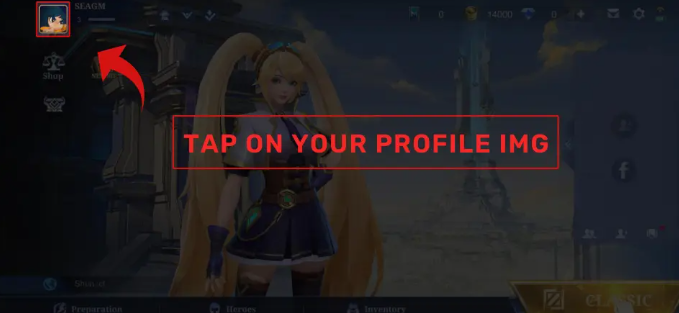
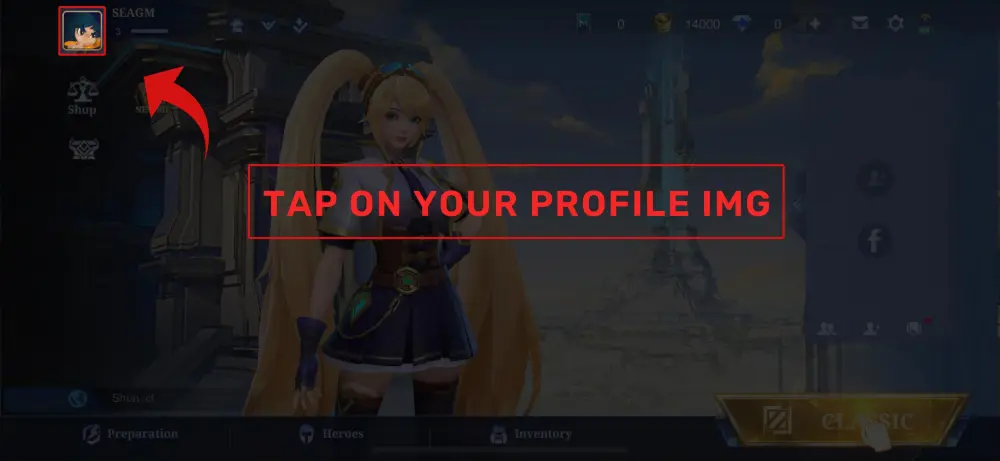
- Tap your avatar located at the top-left corner.
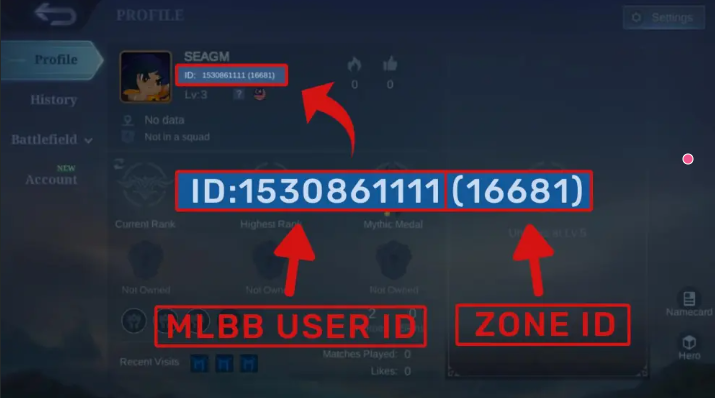
- Your ML User ID and Zone ID will be displayed.
(Example: User ID = “12345678”, Zone ID = “1234”)